Migrate your websites without starting over
UHost brings websites across from the panel or host you are leaving. It reads what is there, shows you what it found, and rebuilds each website on your new server with its files, databases and domains, WordPress and Joomla pointed at their new database. Here is how to migrate your websites, and what does not come across yet.
Three ways in
However your websites are hosted today.
Pull over SSH
From any Linux server you can sign in to. UHost reads the website's files and its WordPress or Joomla database and brings them across.
Upload a backup
A plain .tar.gz of a website's files works from any host. Full account backups in the most widely used hosting panel's format are read as they are, domains and databases included.
Move a whole server
From servers run by that same panel: list the accounts, tick the ones to bring, and each becomes a customer with its own migration, run one after another.
Step by step
How to migrate your websites over SSH.
Find the website's folder
On the old server, note the full path of the website's files, such as /home/oldsite/public_html, and an account that can read them and the website's database.
Start a pull in UHost
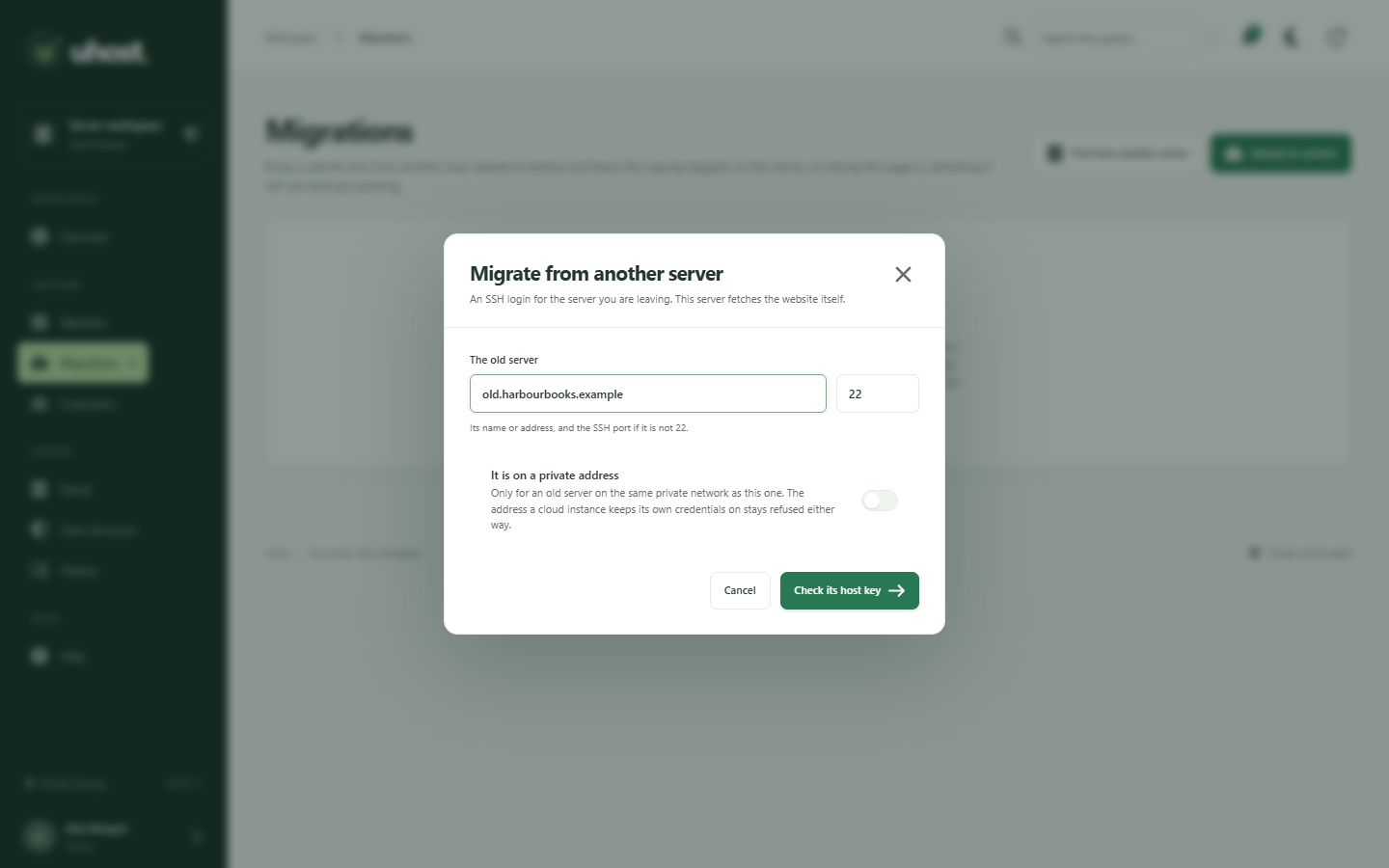
Open Migrations, choose Pull from another server, and give the old server's address, the account and the folder.
Check you reached the right server
UHost shows the old server's SSH host key before it sends the password, so you know which machine you are talking to.
Let it copy
UHost creates the website, brings its files and its WordPress or Joomla database across, rewrites the configuration to the new database, and logs every step. Closing the page does not stop it.
Point the domain here
Change the domain's DNS to your UHost server and request a free certificate from the website's SSL tab.
No surprises
What comes across, and what does not yet.
Comes across
- The website's files.
- Its MySQL or MariaDB databases, under new accounts of their own.
- From an account backup, the main domain and the domains that served the same files, as names of the website.
- WordPress and Joomla configuration, rewritten to the new database.
Not yet
- Email. Every address found in an account backup is listed, so you can create those mailboxes and set their passwords.
- Over SSH, a database that is not WordPress's or Joomla's. Import its dump from the website's Databases tab.
- Domains with a folder of their own in an account backup. They are named in the log, and each is migrated as a separate website.
Safe by design
A migration you can walk away from.
Read before it is written
What UHost found is shown first. You see the plan, then decide.
Survives a closed tab
A migration is a job on the server with its own log, not a page that has to stay open.
A login kept nowhere
An SSH password lives in memory for the length of the job, and the old server's host key is shown to you before it is sent.
The old server untouched
Nothing is changed on the server you are leaving, so it keeps serving until you move the DNS.
The Business plan includes hands-on help migrating your websites. See Business
Migration questions
Is email migrated too?
Not yet. UHost lists every email address it finds in an account backup so you can create those mailboxes, because the passwords on the old server cannot be carried across and a mailbox nobody can open is worse than none.
Is it safe to give UHost my old server's login?
The login is held in memory for as long as the migration runs and is written down nowhere. UHost shows you the old server's SSH host key to check before it sends the password, and nothing on the old server is changed.
Can I move every account on an old server at once?
From a server run by the most widely used hosting panel, yes: an administrator lists its accounts over SSH, ticks the ones to bring, and UHost queues one migration and one customer per account. From any other server, websites come across one at a time over SSH.
Your servers, without the per-account bill.
UHost launches 13 October 2026: the whole panel free for one website, and Pro for unlimited websites on a server.