Light, dark and four colours
UHost has a proper dark mode and four palettes to wear in either theme. Every colour in every one of them was measured for contrast before it shipped, so a themed panel is still a readable one.
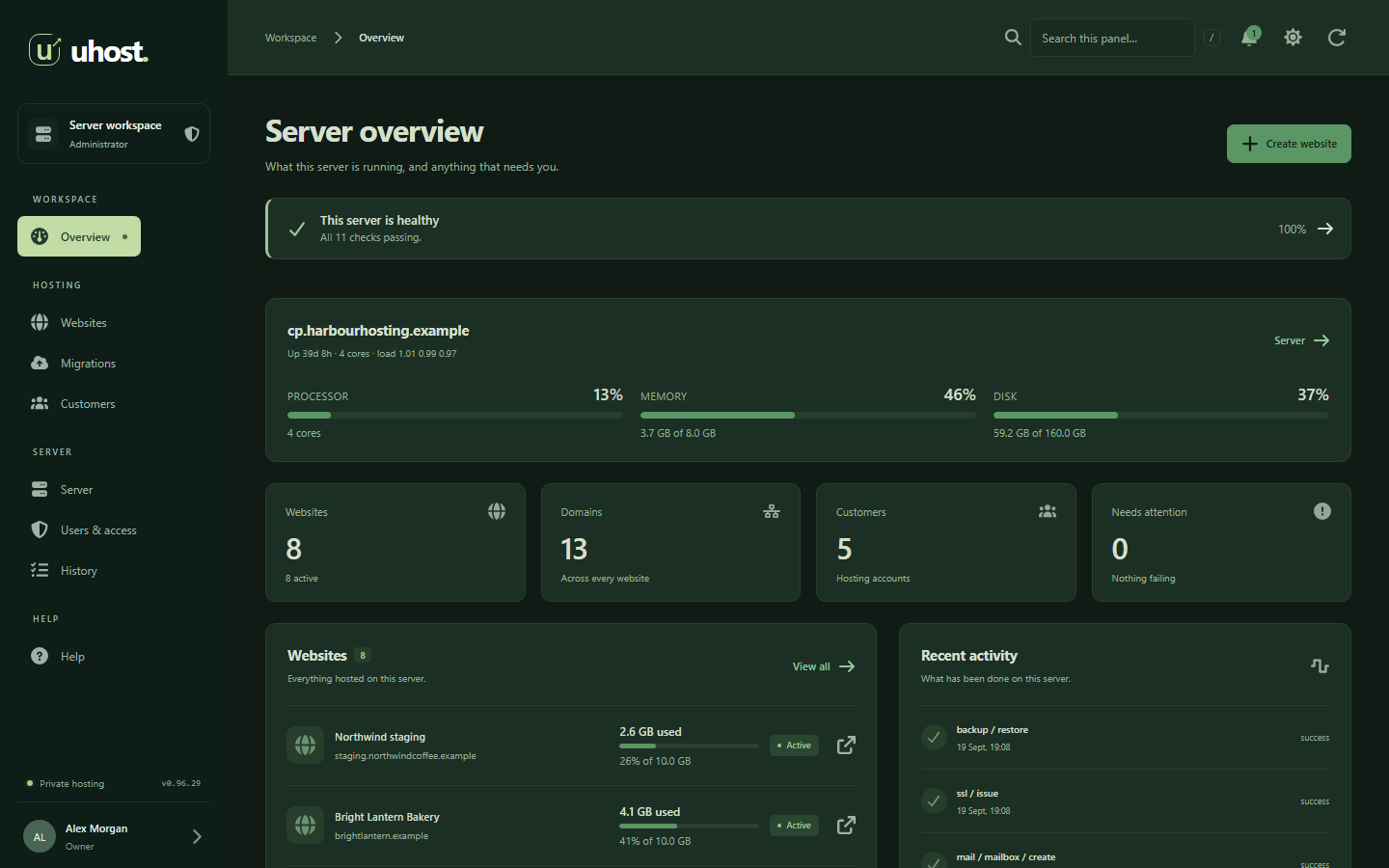
Dark mode
A theme, not a filter over the light one.
Dark mode is the button in the panel's header. Every surface, table, chart, badge and state colour has a value of its own in the dark theme, chosen against what sits on it rather than dimmed and hoped for.
Palettes
Four colours, each in light and dark.
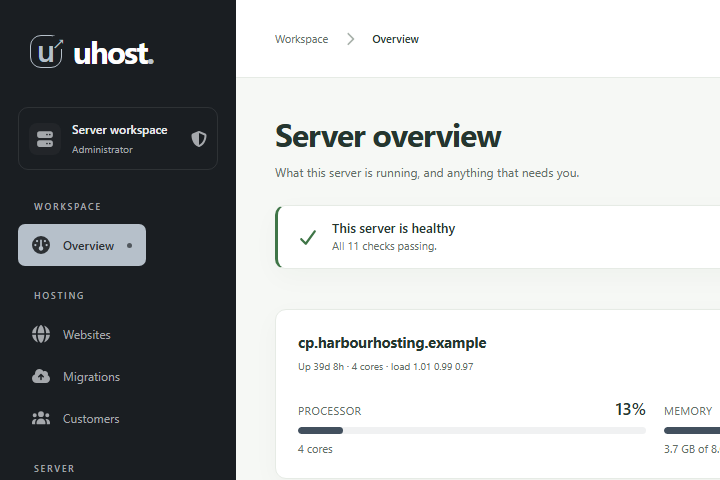
Light or dark is one question, and which colour the panel wears is another, so every palette comes in both. These are pictures of the real panel in each one.
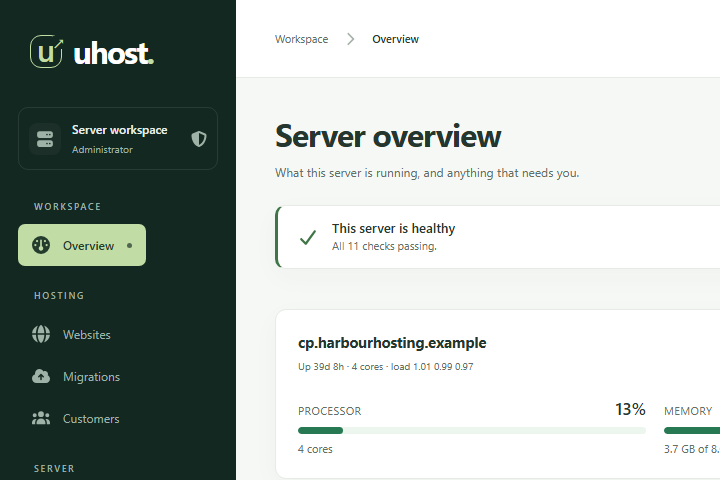
Forest
The green UHost ships in. Everything worth acting on is in this green, and the sidebar is the deep end of it.
- #142822
- #277953
- #c1dca4
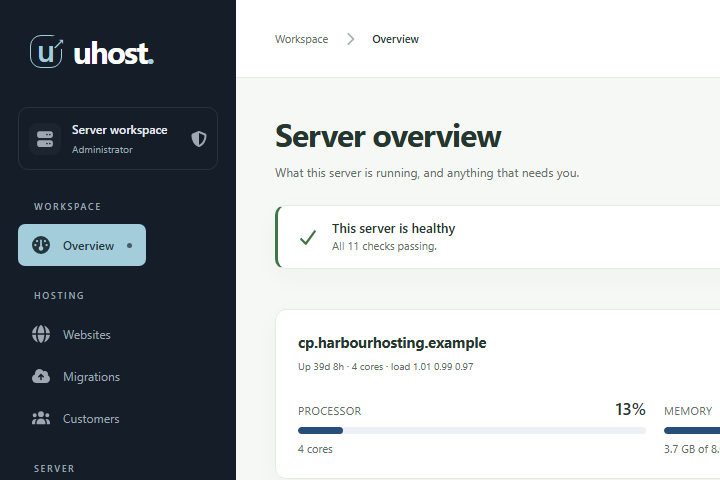
Ocean
A deep blue, for anybody who wants a hosting panel that does not look like a garden centre.
- #141d28
- #274d79
- #a4cddc
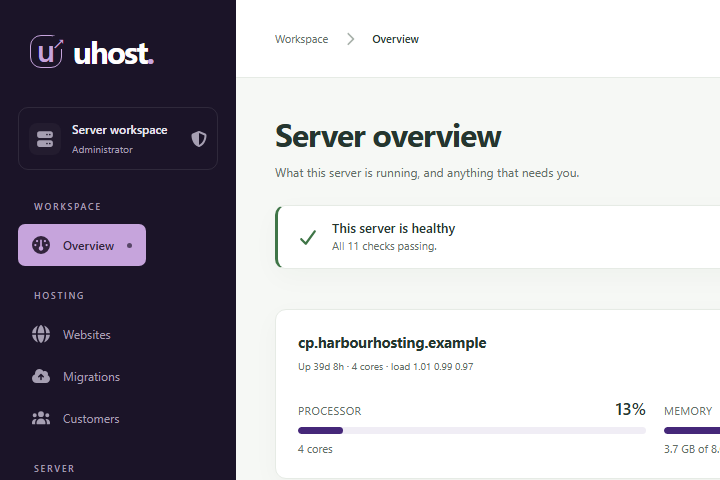
Indigo
Violet, warmer than the blue, and the palette that needed the most work to stay readable.
- #1b1428
- #452779
- #c6a4dc
Slate
Almost no colour at all, for a panel that should sit quietly behind the work.
- #1a1e22
- #42505e
- #b6c0ca
Each swatch is the value the panel paints with: the sidebar, the colour of anything to act on, and the highlight. In dark mode a palette keeps its hue and lifts the accent, because a colour bright enough to read on a dark panel is not the one that white text can sit on.
Readable in every one
Contrast is measured, not eyeballed.
Rotating a hue is not safe on its own. Green at a given lightness is far brighter than indigo at the same one, and the first version of these palettes put white on a dark indigo button at 3.3 to 1, well under the 4.5 to 1 that ordinary text needs. Reading a stylesheet does not catch that, because the failure is a pairing of two rules that are each fine alone.
So the panel's own tests ask the browser instead. They walk every screen they open, take the colour each piece of text is actually painted in and the colour actually behind it, resolve any transparency, and measure the ratio. The bar is WCAG AA: 4.5 to 1 for text and 3 to 1 for large text. That runs in light and dark, in all four palettes, and a pairing that falls short fails the build rather than reaching you.
Choosing one
Your panel, not everybody's.
- Light or dark is the button in the header, one click from wherever you are.
- The colour is in Account, under Appearance, with each choice painted in the palette it offers, so you are picking the thing you are looking at.
- It is kept in your browser, so it follows you on this machine and changes nothing for your colleagues or your customers when they sign in.
- Your phone follows it too, because the browser paints its own bar from the palette rather than from the green UHost ships in.
Dark mode and the palettes are part of the panel on every plan, the free one included.
Your servers, without the per-account bill.
UHost launches 13 October 2026: the whole panel free for up to three websites, and Pro for unlimited websites on a server.